

Per-device activation limits
Every Keylight license carries an activation cap. Devices are tracked by a hashed fingerprint, and customers manage their own machines.
Start Free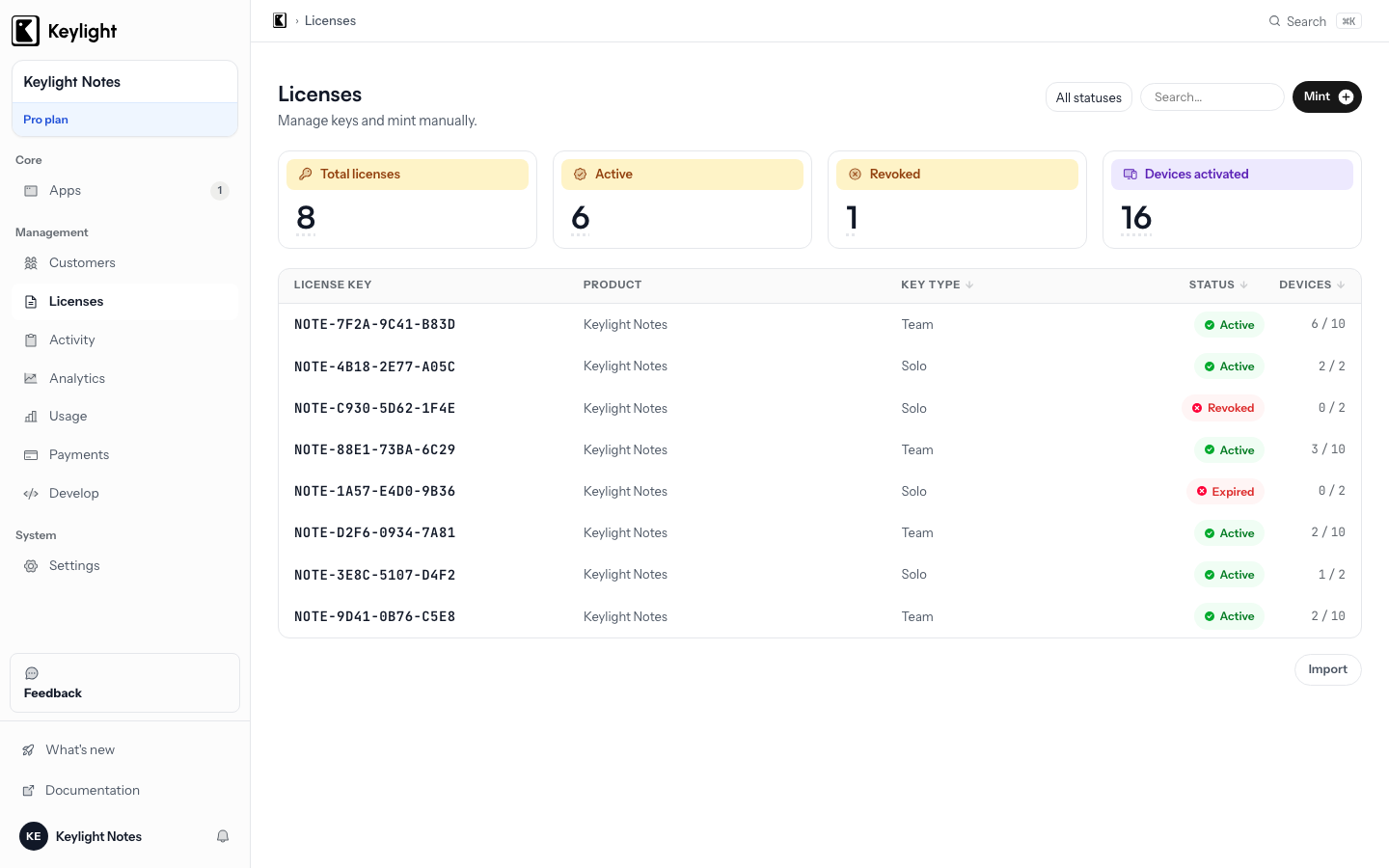
- Activation limit per tier
- Each license tier sets how many devices a key may run on — 2, 5, or unlimited, your call.
- Hashed device fingerprint
- Devices are recognised by an opaque hashed identifier, never by raw hardware data.
- Idempotent activation
- Relaunching or reinstalling on a known device never consumes an extra slot.
- Self-service deactivation
- Customers free a slot by removing an old device in the portal — no support ticket.
Updated March 2026
What device activation does in Keylight
A Keylight license is not just an entitlement — it is an entitlement bound to a bounded set of machines. Every license carries an activationLimit, the number of devices that key may run on. When your app runs on a device for the first time, it activates: it registers the machine with Keylight, which checks the count against the limit and admits or rejects it.
This is what stops a single purchased key from quietly supplying an entire office, while still letting an honest customer run the app on their laptop and their desktop. The limit is yours to set per license tier.
The activation count and limit are tracked on the server, which stays the source of truth — you see how many of a key’s devices are in use from the Keylight dashboard.
How devices are identified
To count devices, Keylight has to recognise them. It does that with a device fingerprint — a stable identifier derived from the machine’s hardware and install characteristics. The SDK computes it and hashes it before it leaves the device, so Keylight stores an opaque token, never a description of the customer’s hardware.
The fingerprint is built to be stable across reboots, app updates, and OS minor versions, so a customer is never silently re-activated. Its only job is equality: is this the same device as one already on the key, or a new one?
Activation is idempotent per device. Relaunching the app, or reinstalling it on a machine that already activated, simply re-confirms — it never consumes a second slot. The count moves only when a genuinely new device appears.
The activate flow in your app
The Keylight Swift SDK reduces activation to a single call:
import KeylightSDK

// Activate a customer-entered key on this device
await licensing.activate(key: enteredKey)

switch licensing.state {
case .licensed:
    enablePaidFeatures()
case .invalid:
    // activationError carries the reason — e.g. the activation limit was reached
    showActivationError(licensing.activationError)
default:
    break
}
When a key is delivered directly after a Stripe checkout, the SDK can activate it without the customer typing anything. When a customer pastes a key into your activation UI, activate(key:) verifies the signature, registers the device, and updates licensing.state.
If the key is already at its limit, Keylight rejects the activation and the SDK exposes the reason through activationError, so your UI can prompt the customer to deactivate an old device or upgrade.
Deactivation and fairness
Activation without deactivation is a trap — customers replace laptops and reinstall operating systems, and a key whose activations only accumulate eventually locks an honest customer out of hardware they no longer own.
Keylight gives every customer a customer portal listing their activated devices, each with a remove button. Removing a device decrements the count and frees a slot immediately — no support ticket, no involvement from you.
This is why activation limits should be generous. The goal is to stop a key being shared across an organisation, not to nickel-and-dime a customer with two Macs. A limit of three to five plus painless self-service deactivation is invisible to every honest buyer and still meaningful against casual sharing.
For the full conceptual model — fingerprinting, idempotency, how activation interacts with offline validation — see how an app activation system works. To see how keys themselves are signed and issued, see license keys. Keylight plans start at $19/month; see Pricing.
Frequently asked
How many devices can a Keylight license activate?+
You set the activation limit per license tier. A personal tier might allow two or three devices; a team or enterprise tier can allow many or unlimited.
What happens when a customer reaches the activation limit?+
The activation is rejected and the SDK surfaces the reason through activationError. The customer deactivates an old device in the portal or upgrades to a higher tier.
Start licensing your app today
Drop in the Swift SDK, point it at your dashboard, and sell paid apps in under a minute. Free forever tier included.
Start Free