Migrate Already selling? Move your customers to Keylight without re-issuing a single key.
Keylight

Feature

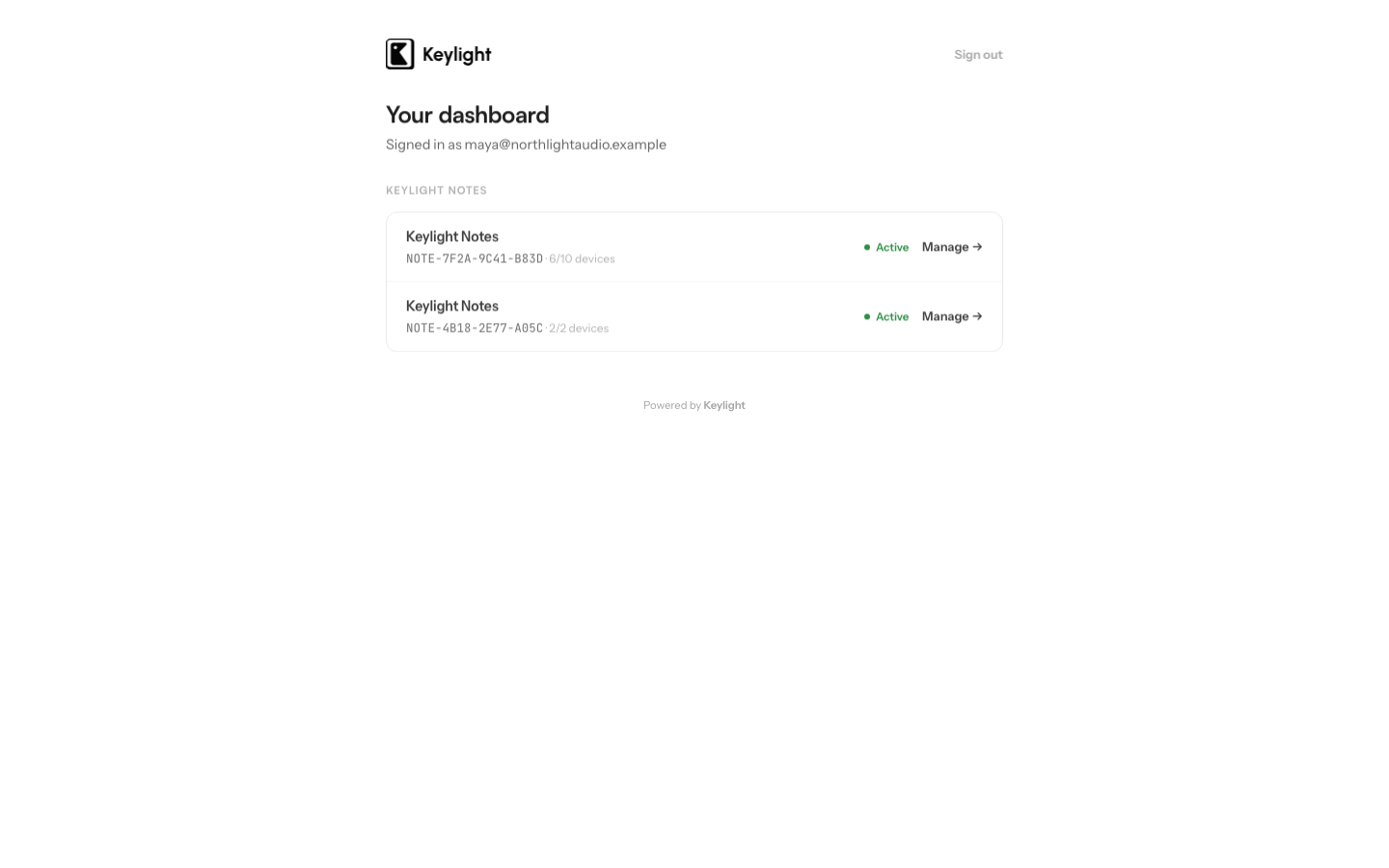
A self-service customer portal

Customers retrieve their key, see their activated devices, and free a slot themselves — turning the most common support requests into zero-touch actions.

Start Free
Key retrieval
A customer who lost their key gets it back themselves — no email to you.
Device list
Customers see every machine their key is activated on, by friendly name.
Self-service deactivation
Removing an old device frees an activation slot instantly.
Hosted by Keylight
The portal is provided and maintained — nothing to build or host.

Updated March 2026

Why a customer portal matters

Most licensing support tickets are not interesting problems. They are the same three requests, over and over: “I lost my key,” “I got a new laptop, can you move my license,” and “it says I’m out of activations.” Each one is a customer waiting on you, and you doing a small manual task in an admin tool.

A customer portal turns those requests into actions the customer takes themselves. The ticket never gets filed. For a solo developer or a small team, eliminating that recurring support load is worth as much as any feature in the product — it is the difference between licensing being invisible overhead and licensing being a constant trickle of email.

Keylight provides the portal, hosted and maintained. You do not build it.

Key retrieval

Customers lose license keys. They delete the purchase email, switch computers, or simply never saved it. Without a portal, every one of those becomes “can you resend my key?”

In the Keylight portal, a customer identifies themselves and sees their license key. The most common support request in licensed software becomes a page the customer visits on their own. The key is the same signed lease Keylight issued — retrieving it is just displaying it, not minting a new one.

Device management

Each Keylight license has a device activation limit, and the portal is where customers see and manage the devices against it.

The portal lists every machine the key is activated on. A customer can see at a glance that they are using two of their three slots, and which machines those are. When they get a new computer, they do not need you — they remove the old machine from the list, which decrements the activation count and frees a slot, then activate the new one.

This is what makes activation limits fair. A limit only works as an anti-sharing measure if honest customers can rearrange their own devices freely. The portal is that escape valve: the limit constrains sharing, and self-service deactivation makes sure it never constrains a legitimate customer who simply changed hardware. See how an app activation system works for why deactivation is essential to the model.

What it means for your support load

Concretely, the portal collapses three recurring tickets to zero:

  • “I lost my key” → the customer retrieves it.
  • “I have a new machine” → the customer deactivates the old one and activates the new one.
  • “I’m out of activations” → the customer removes a device they no longer use, or sees that they genuinely need to upgrade.

What is left for you is the genuinely unusual case — and those are rare. The portal does not just improve the customer experience; it removes the operational tax that makes developers dread adding licensing in the first place.

The portal is included on every Keylight plan, hosted and maintained alongside the rest of the licensing layer. See device activations for the activation model the portal manages, license keys for how keys are issued, and Pricing for plans — starting at $19/month.

Frequently asked

What can customers do in the Keylight portal?+

Customers can retrieve a lost license key, see which devices their key is activated on, and deactivate an old device to free an activation slot — all without contacting you.

Do I have to build the customer portal?+

No. Keylight hosts and maintains the customer portal. You connect your account; your customers get the self-service portal automatically.

Start licensing your app today

Drop in the Swift SDK, point it at your dashboard, and sell paid apps in under a minute. Free forever tier included.

Start Free