

Free trials and free tier, owned by the dashboard
Set the trial length and the free tier once. Every install picks the new values up on its next launch. No release, no trial server, no trial keys.
Start Free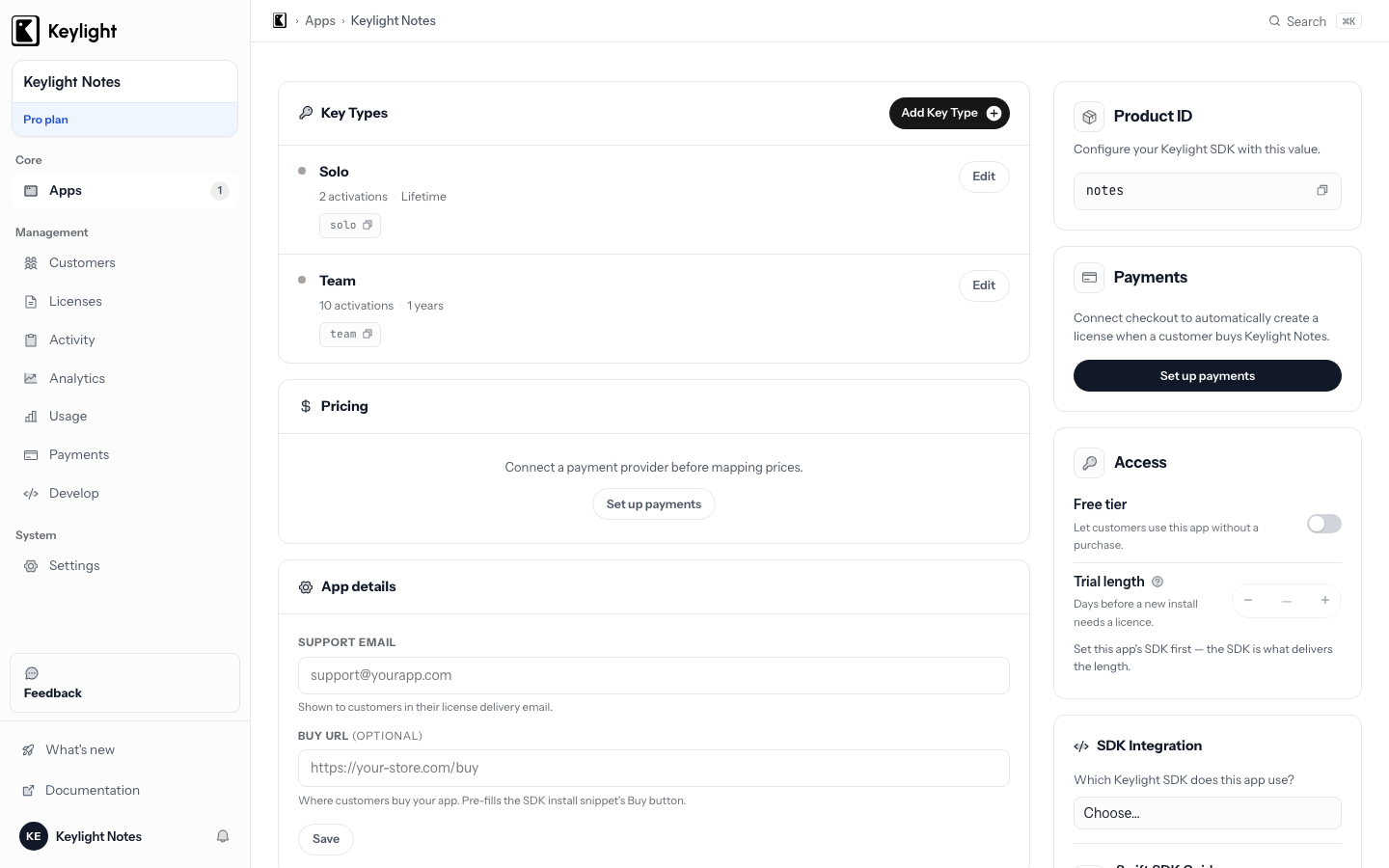
- Dashboard-owned trial length
- Pick 14 days, 7 days, or 0 from a dropdown. Every SDK reads it at launch and runs the countdown on the device.
- Free tier switch
- Decide what a lapsed or never-paid customer keeps. Flip it from the dashboard, not from a rebuild.
- No trial backend
- The trial runs on the device with no payment, no trial server, and no trial-only keys to swap out later.
- Clean conversion
- A payment lands, the key is issued, and the state flips from trial to licensed on the next check.
Updated September 2026
The trial length lives in the dashboard, not in your code
Most paid apps sell on try-before-you-buy. A customer downloads, uses the app for a couple of weeks, and decides. That evaluation window is a licensing state. While it runs, the paid features are open. When it ends, something has to happen.
The old way to set that window was a number in your code. Fourteen days, compiled in, shipped. Changing it meant a release, and every install that never updated kept the old value forever.
With Keylight the trial length is a product setting in your dashboard. Every SDK, in Swift, JavaScript, Rust, C#, and C++, reads it at launch. Change 14 to 7 from a dropdown and every install picks up 7 on its next launch. No release, no auto-update prompt, no “please download the new version” email.
The API path is the one exception. If you integrate over plain HTTPS with no SDK, trials and the free tier are yours to run in your own code.
The trial still runs on the device
Be precise about what “dashboard-owned” means. Keylight does not issue a trial key, and there is no trial server keeping a clock for each install. The dashboard tells the app how long the trial is. The app stamps the start date on first launch, counts down locally, and reports days remaining through the same state your UI already switches on.
That is why there is nothing extra to build. No trial-only keys to mint and later swap out, no parallel expiry logic that has to stay consistent with the real licensing. The trial is just another state in the same system that handles paid licenses.
Two details the SDKs get right that a hand-rolled timer usually does not. A trial length of 0 is a real setting, not “unset”, so you can switch trials off from the dashboard. And the start date is stamped even at zero, so raising the trial length later does not hand a fresh trial to someone who already used theirs.
Free is the floor
What happens on the day the trial ends and no payment arrived is your call, and it is the second setting on the same page.
With the free tier on, the customer keeps a working app with the free features. They are not locked out. They are not nagged out. They stay a user, and every time they hit a paid feature they see the upgrade path. That beats a lockout for a simple reason: a locked-out user uninstalls, a free user converts later. The free is the floor post has the full argument, including what a cancelled subscription drops to.
With the free tier off, the trial ends in a locked state and the app shows your purchase prompt. Some products want that. It is one switch either way.
Free users show up as real devices
Free users used to be invisible. No key, no activation, no row anywhere. With Keylight, a free install still registers as a device, with a number, a platform, and a version, without a single key being handed out. You see how many machines run your app, free or paid, and you see the moment one of them flips.
The device dashboard page covers what the app sends and what it does not.
Conversion is one state change
When a customer decides to buy, they go through your checkout on whichever payment provider you use. The payment lands, Keylight issues the signed key and delivers it, and on the app’s next check the state flips from trial or free to licensed. Same device, same install, no trial data to migrate and no account to reconcile.
Because the trial and the paid license were always the same system, your UI does not need separate paths. One switch on the state handles trial, free, licensed, and expired. The trial-to-paid conversion post covers what actually moves the number once the plumbing is in place.
Settings that cannot be edited on the device
The trial length and the free tier arrive in the app signed by your dashboard. If someone opens the cached settings file and stretches their trial to 9,999 days, the app ignores the edit and keeps its safe default. That check is a switch you turn on before launch. The signed product settings page explains what it closes and how to enable it.
Choosing a trial length
Keylight does not prescribe a trial length. The common range is 7 to 30 days. Shorter trials create urgency and convert evaluators faster. Longer trials suit apps a customer needs to fold into a real workflow before they can judge them. Fourteen days is a reasonable default for most productivity and developer tools, and since the number lives in the dashboard, you can change your mind after launch.
Trials and the free tier are included on every Keylight plan. See Pricing, starting at $19/month. For how a dashboard-owned trial feels inside a game, see Licensing for Unity Games.
Frequently asked
Where is the trial length set?+
In the Keylight dashboard, per product. Every SDK reads it when the app launches, so changing 14 days to 7 takes effect on the next launch of every install without a new build.
Does Keylight issue trial keys?+
No. The trial runs on the customer's device. Keylight tells the app how long the trial is; the app counts it down locally and reports days remaining.
What happens when a trial ends and the customer does not pay?+
They drop to your free tier if you have one on, or to a locked state if you do not. Nobody is thrown out of the app mid-session, and the same key path handles them the moment they pay.
Can I turn trials off?+
Yes. Set the trial length to 0 in the dashboard. That is a real setting, not an unset one, so existing installs stop offering a trial on their next launch.
Start licensing your app today
Drop in the Swift SDK, point it at your dashboard, and sell paid apps in under a minute. Free forever tier included.
Start Free